
1. What is a Tab?
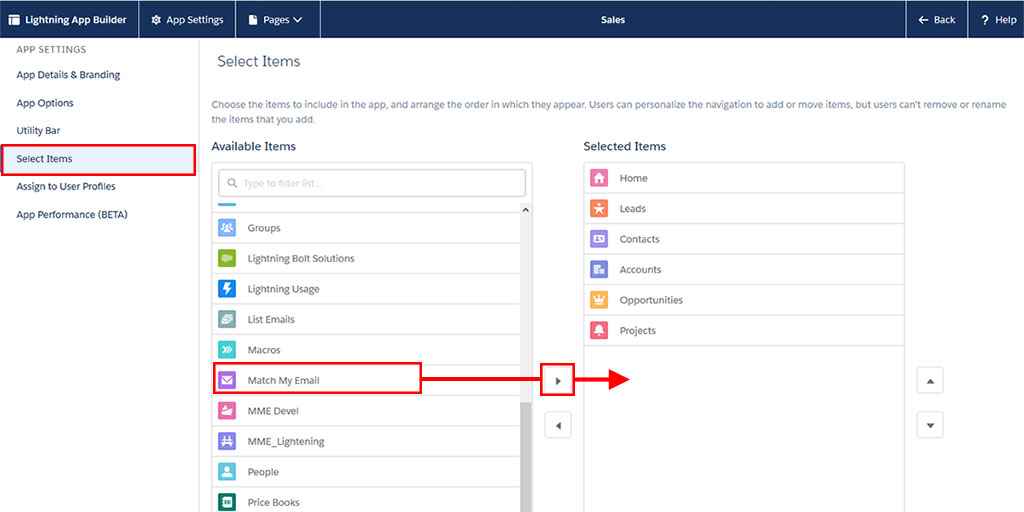
Tabs let you display object data or other web content in Salesforce. When you add a custom tab to an app in Salesforce Classic, it displays as a tab. When you add a custom tab to an app in Lightning Experience, it displays as an item in the app’s navigation bar.
2. How many types of tabs are there?
There are two types of tabs in salesforce.
I. Standard Tabs
II. Custom Tabs
3. What is a custom object Tab
Custom object tabs (available only at an app level and not on sub-tab apps) display the data of your custom object. Custom object tabs look and function just like standard tabs.
4. What is the Visualforce page Tab?
Visualforce tabs display data from a Visualforce page. Visualforce tabs look and function just like standard tabs.
5. What is Web Tab?
Custom web tabs display any external web-based application or web page. You can design web tabs to include the sidebar or span across the entire page without the sidebar.
6. What is the lightning Component tab?
Lightning component tabs make Lightning components available in the Salesforce mobile apps and in Lightning Experience. Lightning components aren’t supported in Salesforce Classic.
7. What is the default on,off and hidden?
When you set up the tab visibility to default on, it would appear on the top bar along with the other tabs, while if you set this to default off, user will be still have access to the tab but he / she will have to click on the + symbol at the end of all tabs and then access it.
If you make the tab hidden, then it will neither be visible at the top bar, and nor by clicking on the + button. However there is a feature available to every user to customize the list of tabs which has to appear once they login as per their preferences.
8. Visibility of the tabs is controlled by?
The visibility of the tabs is controlled by Profiles and the permission set.
Here is the salesforce help doc.
9. Can we deploy the tab from sandbox to production?
To answer your question, yes, it is possible to deploy just a Tab. if production has the expected (75%+) code coverage at the time of deployment.
10. Which permissions are by default enabled when we add a tab to an application?
The default permission is default hidden when we add a tab to an application.
11. The same tab can be used in how many applications?
You can add a tab in n number of application. it’s up to you.
12. What is the default landing tab?
The default landing tab is Home but you can update as per you need.
13. How to see the tabs which are not in the Tab-panel?
There is (+) sign in the very last of the tabs list, simply click on that.
For more about tabs please go though the Salesforce help documentation by clicking here.
 SFDC Info